Make Moodle coursework faster — bulk course downloads, new-content notifications, and study workflow improvements.
Chrome — download all course files, videos, and assignments in one click
5K users, 4.9★ — new-content alerts and one-click course downloads
4.9★ — same features as the Chrome version, maintained in parallel
Side-by-side comparison of curated Moodle extensions for Chrome and Firefox
| Name |

Moodle BuddyChrome |
Moodle DownloaderChrome |
Moodle BuddyFirefox |
|---|---|---|---|
| 📊 Store Info | |||
| Rating | 4.9 ★★★★★ | 4.8 ★★★★★ | 4.9 ★★★★★ |
| Active Users | 5,000 | 10,000 | ~800 |
| Last Updated | Oct 2025 | Jan 2024 | Oct 2025 |
| Primary Focus | Downloads + notifications | Bulk file download | Downloads + notifications |
| 📥 Download Features | |||
| Bulk Course Download | ✅ Yes | ✅ Yes | ✅ Yes |
| Selective File Picking | ✅ By type | ✅ Drag-select | ✅ By type |
| All Enrolled Courses | ✅ Yes | ❌ Per course | ✅ Yes |
| 🔔 Notifications & Updates | |||
| New Content Alerts | ✅ Yes | ❌ No | ✅ Yes |
| Course Update Highlights | ✅ Yes | ❌ No | ✅ Yes |
| 🔒 Privacy & Source | |||
| Open Source | ✅ Yes | ✅ Yes | ✅ Yes |
| Data Collection | Opt-in stats | None | Opt-in stats |
| Details | View Details ↓ | View Details ↓ | View Details ↓ |
A closer look at each Moodle extension and what it covers
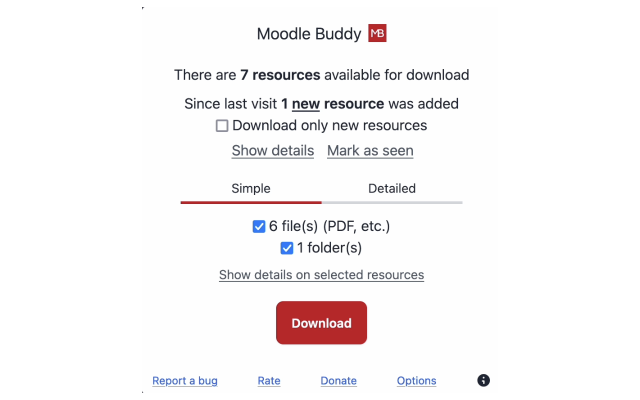
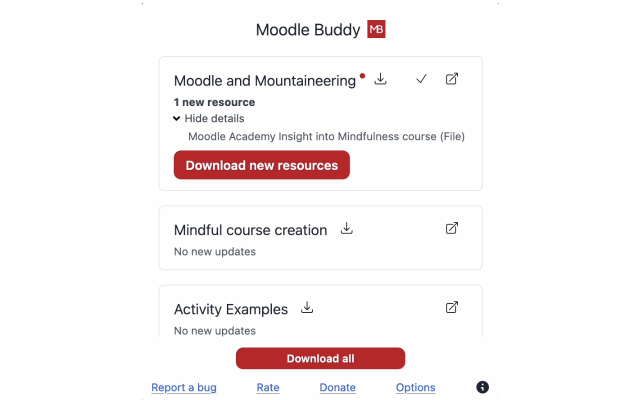
An all-in-one Moodle helper that adds bulk file download and new-content notifications. One click downloads every resource in a course; another crawls all your enrolled courses and flags new files since your last visit. Open source and maintained by an independent developer, with optional and fully anonymous usage statistics.
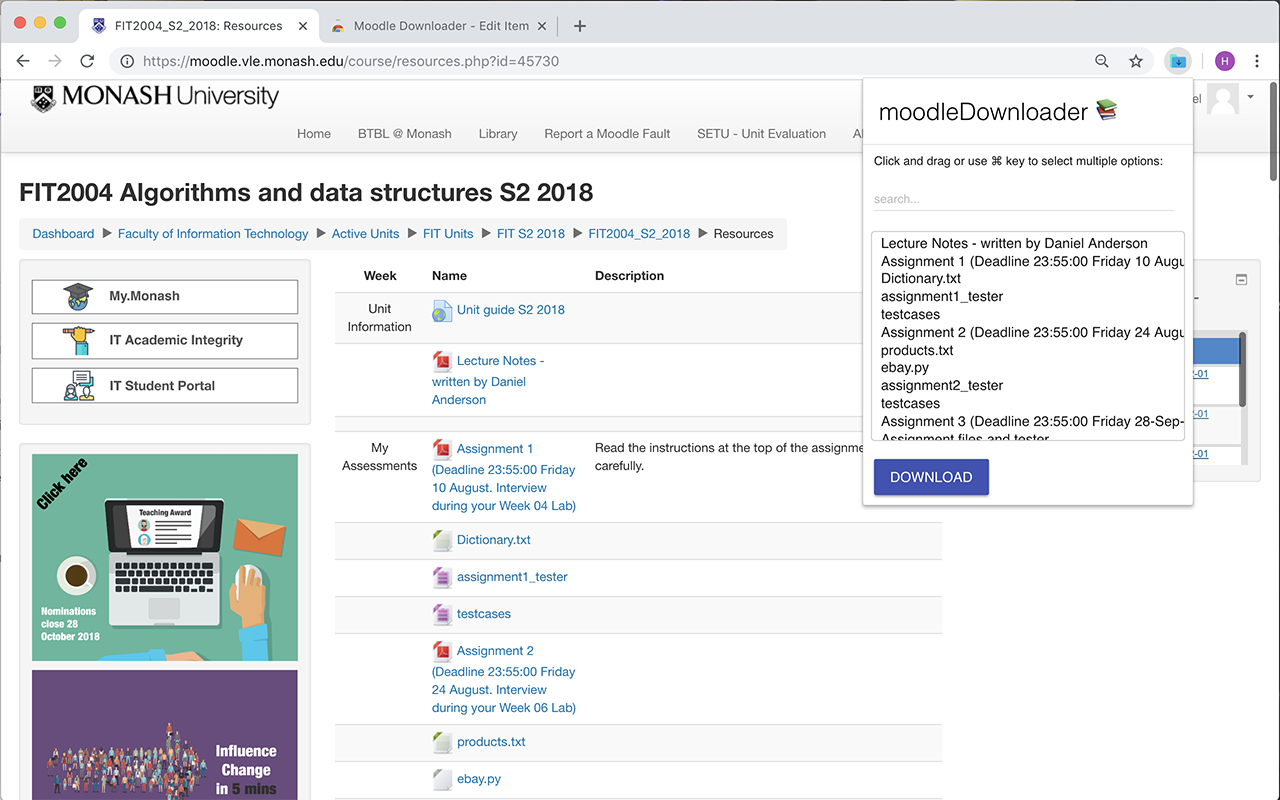
A focused, single-purpose extension that downloads selected Moodle resources from any course's Resources page. Click-and-drag or hold Ctrl/Cmd to select multiple files, then grab them as a batch. No account, no tracking, no data collection — under 60 KB and open source.
The Firefox version of Moodle Buddy, built from the same codebase as the Chrome extension. Bulk downloads, new-content notifications, and course tracking — delivered as a Mozilla-verified add-on for students who prefer Firefox. Maintained in parallel with the Chrome release by the same developer.
Review permissions, screenshots, update date, and recent reviews before installing any extension or add-on.
Some universities restrict third-party tools that download course materials. Check your institution's acceptable-use policy before doing bulk downloads.
These are independent browser-store listings, not maintained by Moodle HQ or your school. Moodle HQ and your institution are not responsible for their behavior.
Workflow improvements that don't require any extension at all.
Many students want a full offline copy of course materials — for revision, for unreliable internet, or simply as a backup. Moodle does not have a built-in "download entire course" button, but there are three reliable approaches:
Unlike Canvas or Blackboard, Moodle has very limited third-party dark-mode extensions, largely because every institution can customize Moodle's theme and CSS. The most reliable solutions work at the browser level rather than Moodle-specific:
Moodle's default dashboard often shows all courses in a flat list, which becomes unreadable past 4–5 enrolments. A few lightweight habits make a larger difference than any extension:
Most Moodle sites send email notifications for forum posts and assignment updates, but the default cadence is often too coarse or too noisy. A few adjustments:
All three extensions are designed to work on standard Moodle sites regardless of the domain. Because Moodle is open source, every institution hosts its own version — so compatibility depends on how customized your school's Moodle theme and plugins are. The best test is to simply install the extension and try it on a course page; if the page structure is standard, it will work.
Yes. All three listings — Moodle Buddy (Chrome and Firefox) and Moodle Downloader (Chrome) — are free to install, open source, and have no paid tier or premium features. Always verify on the official store page before installing, as ownership of open-source extensions can change over time.
Bulk-downloading files you already have legitimate access to — for your own study use — is typically fine. However, course materials are normally copyrighted by your instructors or institution, so redistribution or sharing is usually not permitted. Some universities also restrict automated or rapid bulk downloads in their acceptable-use policy. When in doubt, check your school's IT policy or ask your instructor.
Moodle Buddy is broader: it downloads files, scans all your enrolled courses, and shows notifications when new content is posted. Moodle Downloader is narrower and simpler: it gives you a click-and-drag interface on a course's Resources page to pick files and download them in one batch, with no tracking or extra features. If you mainly want downloads, Moodle Downloader is lighter; if you want course-wide awareness, Moodle Buddy is more complete.
No. All extensions listed here are independent, open-source projects published on the Chrome Web Store or Mozilla Add-ons. They are not developed, endorsed, or maintained by Moodle HQ, Moodle Pty Ltd, or any specific educational institution. Always review permissions and source code before installing.
Moodle releases updates twice a year, and universities deploy them on different schedules. An extension that worked last semester may need a patch after an upgrade. If this happens, check the extension's GitHub repository for recent issues or releases, try the latest version from the store, or temporarily disable the extension until a fix is published. Both Moodle Buddy and Moodle Downloader are open source, so fixes often arrive quickly after major Moodle versions.
We also review browser extensions for other learning management systems.